
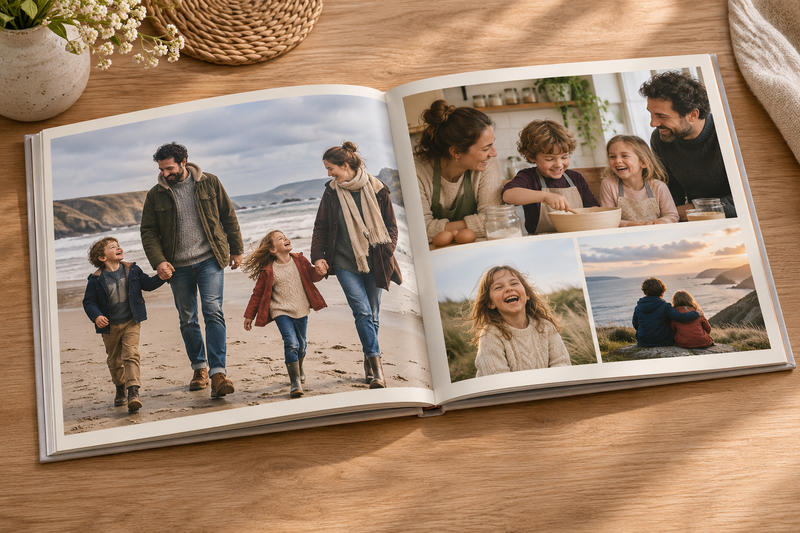
Most families have thousands of photos spread across phones, cloud accounts, old laptops, and forgotten folders. The problem is that having more pictures does not necessarily make them easier to enjoy.
A family photo book turns those scattered images into something you can actually sit down and look through. The best ones do more than collect attractive photographs. They tell a story, preserve details you might otherwise forget, and make important moments easier to revisit years later.
Decide What Story the Photo Book Will Tell
Start with a clear purpose before uploading hundreds of images.
A photo book can document one year, a family vacation, a child’s early years, a wedding, several generations, or everyday family life. Narrowing the theme makes the editing process much easier because every photo has to serve the same story.
For a yearly family book, for example, you might organize pages around seasons, birthdays, school milestones, holidays, and ordinary weekends.
A travel book could follow the trip chronologically, while a book about grandparents might combine old photographs with newer family portraits and written memories.
Gather Photos Before You Start Designing
Do not build pages while your photos are still scattered across different devices.
Create one temporary project folder and copy all likely images into it. Include photographs from your phone, your partner’s phone, relatives, cameras, cloud storage, and messaging apps.
Then sort them into simple folders such as:
- January through December
- Trips and holidays
- Birthdays
- School and activities
- Everyday family life
- Extended family
Do not try to choose the final photographs yet. The first job is simply making sure you know what material you have.
Choose Photos That Add Something Different
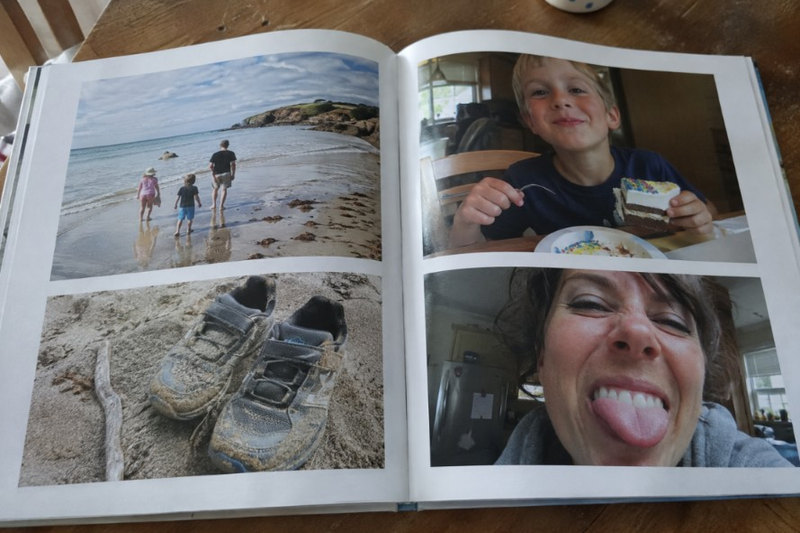
The biggest photo-book mistake is including too many similar pictures.
You probably do not need eight photographs of everyone sitting around the same birthday cake. Pick the strongest image, then add one or two others only if they capture something different.
Look for variety. Include wide shots that show where you were, close-ups of people, candid moments, details, and occasional imperfect photographs that mean something emotionally.
When creating Mixbook photo books, it helps to select the photographs before spending too much time choosing layouts. A strong selection makes almost any page design easier to build.
Keep Some Ordinary Photos
Not every image needs to mark a major occasion.
Photographs of breakfast at the kitchen table, children playing in the yard, a messy bedroom, a favorite toy, or the family dog asleep on the couch can become surprisingly valuable later.
Big occasions are usually well documented already. Ordinary routines are the things families often forget to photograph.
Organize the Book in a Logical Order
A clear structure makes a photo book feel intentional.
Chronological order works well for annual books, children’s milestones, vacations, and long-term family stories. Other projects may work better by theme, person, place, or event.
Once you choose a structure, keep it consistent.
For example, an annual family book might move through the months but give major events a full spread. A heritage book might organize chapters around different relatives or branches of the family.
Use Page Spreads to Control the Pace
Not every page needs the same number of photographs.
Give an especially strong image an entire page. Use a grid when several smaller photographs belong together. Follow a busy spread with something simpler so the book does not feel visually crowded.
Leaving some empty space around photographs can make important images stand out more clearly than filling every available area.
Add Captions With Information You May Forget
Captions are where a photo album becomes a family record.
Avoid writing only obvious descriptions such as “At the beach.” Record details that may not be obvious 20 years from now.
Useful captions can include:
- Names and relationships
- Dates
- Locations
- Children’s ages
- Funny comments someone made
- Why the occasion mattered
- Small memories connected to the photograph
You do not need to caption every image. Concentrate on information future readers could not reconstruct from the photograph alone.
If you are creating a book with older family pictures, ask relatives to identify people and locations before that knowledge is lost.
Do Not Overdesign the Pages
Photo books usually age better when the design is relatively simple.
Choose one or two fonts and use them consistently. Keep background colors restrained so they do not compete with the photographs.
Decorative elements can work for children’s books, vacations, or celebrations, but use them selectively. If every page has different graphics, borders, fonts, and colors, the design can overpower the memories themselves.
Also keep important faces and text away from the center fold and page edges. Cropping can change slightly during printing and binding.
Check Image Quality Before Printing
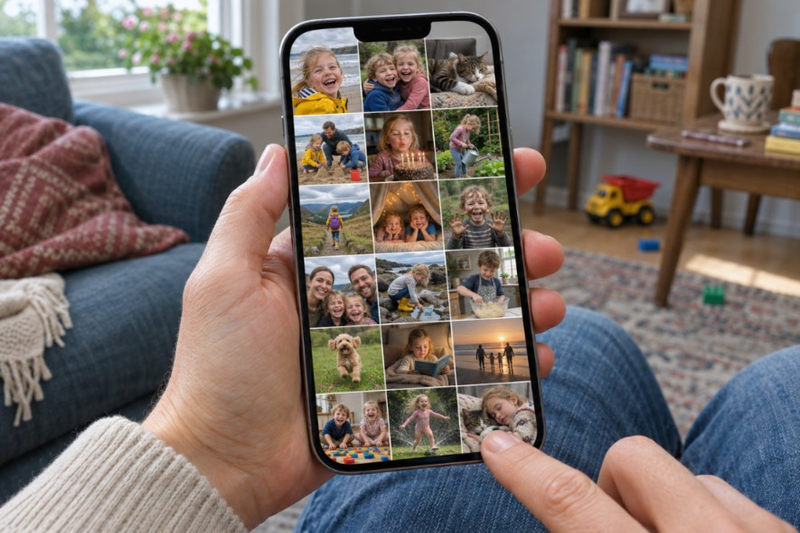
A photograph that looks acceptable on a phone screen may not reproduce well when printed across a large page.
Use the highest-resolution original available whenever possible. Avoid screenshots when you still have access to the original image file.
Be cautious about enlarging heavily cropped photographs because fewer pixels remain after cropping.
Before ordering, zoom in on photographs that will appear large and check for blur, compression artifacts, screenshots, or accidental low-resolution copies.
Preserve the Original Photos Too
A printed photo book should be part of your family archive, not the only copy.
Keep the original digital files in organized folders and maintain backups in more than one location. Older printed photographs should also be stored carefully after scanning.
The Library of Congress advises using appropriate photo-safe storage and avoiding damaging albums with sticky or “magnetic” self-adhesive pages. Its guidance on caring for photographs also emphasizes proper storage and handling to reduce long-term deterioration.
If you scan old family photographs for your book, keep the high-quality scans rather than only the compressed versions used in the final design.
Proof the Book Like a Printed Document
Do not place the order immediately after finishing the last page.
Leave the project for a day, then review it again from beginning to end. You are much more likely to notice repeated photographs, spelling mistakes, inconsistent dates, or awkward layouts after a short break.
Check every person’s name carefully. Verify dates where possible and make sure captions have not been cut off near page edges.
Also look at the book as a whole. If one child, family member, or period is barely represented, decide whether that reflects the story accurately or simply happened during the editing process.
Make a Book People Will Actually Look At
A meaningful family photo book does not need every photograph you have ever taken.
It needs enough images to bring back the people, places, routines, and small details that made that period of family life distinctive.
Choose photographs carefully, add context where it matters, keep the design simple, and preserve the original files separately. The result becomes more than a collection of pictures. It becomes a record of family life that is easy to pick up, share, and pass on.