
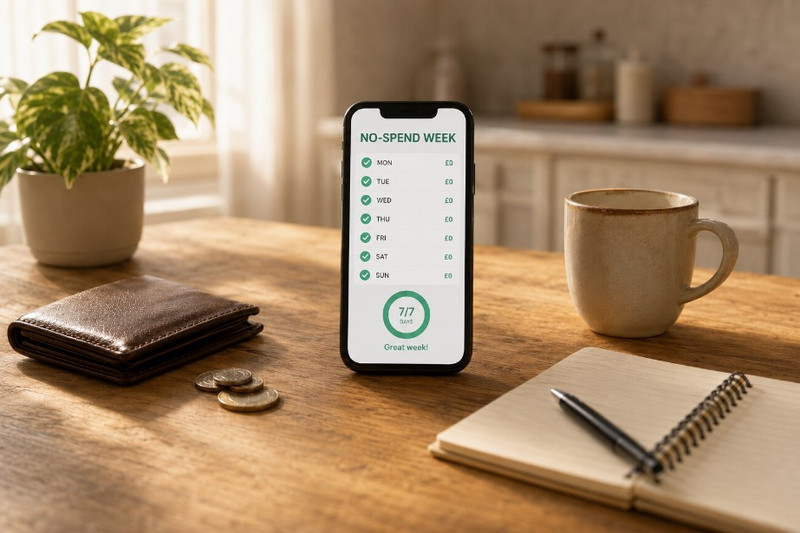
A no-spend week sounds easy until you’re two days in and your thumb is hovering over a food delivery app at 9pm. The idea is simple. You stop buying anything that isn’t essential for seven days. Rent, bills, groceries you already planned for, those stay. Everything else stops.
Coffee runs, impulse orders, nights out, subscriptions you forgot you had. Your phone handles everything from food delivery to 1xbet mobile app and other betting platforms to streaming subscriptions, and a no-spend week is when you finally see how much each of those categories costs you per week. NerdWallet found in March 2026 that one in four people have tried some version of this challenge. One in three of them failed within the first month. Your phone, oddly enough, is both the biggest threat to your no-spend week and the best tool to survive it.
Pick Your Week and Lock It In
Don’t start on a whim. Look at your calendar and choose a week with no birthdays, no social commitments, no trips. The point isn’t to torture yourself, it’s to pick seven days where saying no to spending is realistic. A week where you’ve already got plans you can’t cancel is a week you’ll fail.
Once you’ve picked the dates, set a reminder on your phone for the night before. Something blunt. “No-spend week starts tomorrow. You agreed to this.” That reminder matters more than you’d think because the first morning is when most people forget and buy a coffee out of habit.
Use Your Phone’s Screen Time to Kill Temptation
This is the tip nobody talks about. Go into your phone’s Screen Time settings (iOS) or Digital Wellbeing (Android) and set daily time limits on your worst spending triggers. For most users that’s delivery apps, shopping apps, and whatever else makes it too easy to tap and pay. You are not deleting them. You’re putting a speed bump between you and a purchase. That five-second pause when the time limit warning pops up is often enough to stop you.
Track Every Pound You Don’t Spend

Here’s where your phone earns its keep. Most who try a no-spend challenge have no idea how much they saved because they never tracked what they would have spent. Pick a free expense tracker, PocketGuard has a free tier, Finny is completely free with manual entry, and Spendee gives you good visual breakdowns at no cost.
Every time you almost buy something but don’t, log it. Coffee you skipped, three quid. Takeaway you talked yourself out of, twelve quid. Entertainment you’d normally spend on a Saturday afternoon, whatever your usual amount is. By the end of the week you’ll have a number that shows you exactly what seven days of discipline looks like in pounds.
Why Manual Logging Works Better Than Auto-Sync
Research from Finny Blog found that people who manually log their spending develop stronger awareness of their habits than those who rely on automatic bank syncing. It makes sense. Typing “£4.50 flat white” into your phone makes you feel the purchase. An auto-imported transaction three days later doesn’t register in your brain the way typing it out does. For a no-spend week, that friction is the point.
Plan Your Meals Before Day One
Food is where most no-spend weeks collapse. You run out of something, you’re tired, you order in. The fix is boring but it works. Open your phone’s notes app on Sunday evening and write down what you’ll eat for every meal and snack for the next seven days. Check what’s already in your fridge and cupboards. Build the list from what you have, then fill gaps with one grocery trip before the week starts.
Meal planning apps like Mealime or Paprika let you build recipes from ingredients you already own. That one feature alone prevents the “nothing to eat, might as well order” moment that kills no-spend weeks by Wednesday.
What to Do When You Want to Spend

The urge does not go away just because you decided it should. When it hits, you need something to do with your hands and your attention that doesn’t cost money.
- Walk away from your phone for ten minutes, physically leave the room if you have to
- Open a free game, a podcast, or a downloaded show to take your mind off spending
- Text someone about the challenge, talking about it reinforces why you’re doing it
- Screenshot the item you want and save it to a “maybe later” album on your phone, most of those screenshots never get revisited
- Check your running total of money saved so far, watching that number grow becomes its own motivation
After the Week Ends
The number one mistake is treating a no-spend week as a one-off stunt. If you tracked properly, you now have a list of purchases you didn’t make and didn’t miss. That list is worth looking at honestly. Some of those things you’ll want to buy again and that’s fine.
But a few of them, the habitual ones, the ones you bought on autopilot before the challenge, those are the spending habits worth questioning permanently. SuperMoney estimates that regular no-spend periods can save between £1,000 and £2,500 a year depending on your usual discretionary spending. Your phone tracked it all. Now you get to decide what stays cut and what comes back.